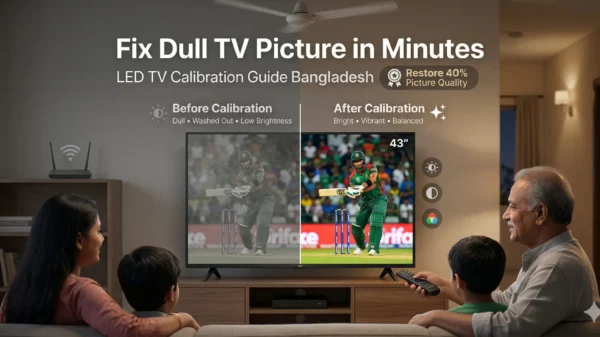

Cricket is Bangladesh’s national passion. Whether it’s BPL matches, international games, or football leagues like the Premier League, millions gather around TVs to watch live sports.
However, most people watch sports using default TV settings, missing key details like fast ball movement, smooth dribbling, and sharp visuals.
By adjusting just four key settings—picture mode, motion handling, brightness, and refresh rate—you can dramatically improve your sports viewing experience.
Why Default TV Settings Fail for Sports
- Optimized for movies, not fast motion
- Cause motion blur and ghosting
- Lower brightness for dark scenes
- Incorrect color tuning for outdoor sports
Sports require smoother motion and higher brightness than movies.
Best Picture Modes for Sports
| Mode | Best For | Recommendation |
|---|---|---|
| Movie/Cinema | Films | ❌ Not ideal |
| Sports Mode | Cricket & Football | ✅ Best option |
| Dynamic/Vivid | Bright rooms | ⚠️ Use carefully |
| Standard | General use | ✔️ Acceptable |
Tip: Always use Sports Mode if available.
4 Key Settings to Optimize for Sports
| Setting | Recommended Value | Impact |
|---|---|---|
| Picture Mode | Sports | High |
| Motion Handling | Medium | High |
| Brightness | 60–75% | Medium |
| Refresh Rate | 60Hz / 120Hz | High |
Setting #1: Enable Sports Picture Mode
- Go to Settings → Picture → Picture Mode
- Select Sports Mode
- If unavailable, use Dynamic/Vivid
Sports Mode improves brightness, color, and motion clarity automatically.
Setting #2: Enable Motion Handling
- Go to Settings → Picture → Motion Settings
- Enable MotionFlow / TruMotion / Motion Enhancer
- Set to Medium
This reduces blur and makes fast action smoother.
Setting #3: Adjust Brightness & Contrast
- Brightness: 60–75% (daytime), 50–60% (night)
- Contrast: 50–60%
- Color: 55–65%
This ensures clear visibility of the ball and players.
Setting #4: Optimize Refresh Rate
- Use TVs with 60Hz minimum
- 120Hz preferred for smoother motion
- Enable frame interpolation (Medium)
Higher refresh rates make sports action smoother.
Additional Optimization Tips
- Set color temperature to Warm
- Disable noise reduction (prevents blur)
- Avoid max motion smoothing (causes fake look)
Create Custom Sports Profiles
- Save settings as “Cricket Mode”
- Create separate “Football Mode”
- Switch easily based on content
Recommended TVs for Sports Viewing
| Model | Feature | Price (BDT) |
|---|---|---|
| Haier 43″ QLED TV | 120Hz Motion | ৳34,990 |
| Samsung 43″ Crystal UHD | Smooth Motion | ৳43,690 |
| Haier 50″ HQLED | Large Screen | ৳51,990 |
Room Setup for Better Sports Viewing
- Sit 8–12 feet from TV
- Reduce glare with curtains
- Use dim lighting
- Add external speaker for commentary clarity
Conclusion
Default TV settings are not optimized for sports. By adjusting picture mode, motion settings, brightness, and refresh rate, you can significantly improve your cricket and football viewing experience.
These free changes make fast action clearer, smoother, and more enjoyable.
Upgrade your setup today and enjoy every match with maximum clarity.