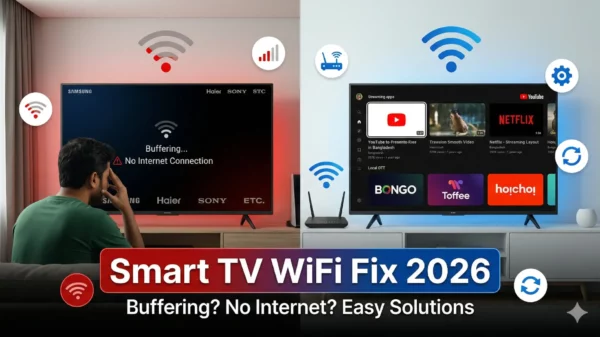

Streaming your favorite Bangladeshi drama on Toffee, watching live cricket on Bongo, or enjoying YouTube content becomes frustrating when your smart TV’s WiFi keeps dropping.
Videos freeze, buffering icons appear repeatedly, and streaming becomes slow—especially during peak evening hours. The good news? Most issues are caused by simple configuration problems, not hardware failure.
These 8 practical fixes can solve up to 90% of smart TV network problems in Bangladesh.
Why Bangladesh Experiences Streaming Issues
- Average internet speeds drop during peak hours (7–10 PM)
- Dense apartment WiFi interference
- Concrete walls blocking signals
- Weather (monsoon humidity) affecting connectivity
- Budget TVs with weaker WiFi chips
Minimum Internet Speed for Streaming
| Streaming Quality | Minimum Speed | Recommended Speed |
|---|---|---|
| HD (720p) | 2.5 Mbps | 5+ Mbps |
| Full HD (1080p) | 5 Mbps | 10+ Mbps |
| 4K | 15 Mbps | 25+ Mbps |
If your speed is below these levels, buffering is unavoidable.
8 Fixes for Smart TV Network Problems
| Problem | Solution | Difficulty |
|---|---|---|
| Peak-hour congestion | Stream off-peak / reduce quality | Easy |
| Weak signal | Move router / extender | Easy |
| Channel interference | Change WiFi channel | Medium |
| Weak router | Upgrade router | Medium |
| Outdated TV software | Update firmware | Easy |
| DNS issues | Change DNS | Medium |
| App issues | Clear cache / reinstall | Easy |
| High video quality | Reduce resolution | Easy |
Fix #1: Peak-Hour Network Congestion
- Stream before 7 PM or after 11 PM
- Reduce video quality during peak hours
- Download content for offline viewing
- Upgrade your internet plan if needed
Fix #2: Improve WiFi Signal Strength
- Place router in central location
- Elevate router position
- Avoid obstacles
- Use WiFi extender (৳3,500–৳8,000)
Fix #3: Change WiFi Channel
- Login to router (192.168.1.1)
- Go to WiFi settings
- Switch to less crowded channels
- Save and reconnect
Fix #4: Upgrade Your Router
- Disconnect unused devices
- Restart router weekly
- Upgrade to WiFi 6 router if needed
Fix #5: Update TV Software
- Go to Settings → System → Updates
- Install latest update
- Restart TV
Fix #6: Change DNS Settings
- Use Google DNS: 8.8.8.8
- Or Cloudflare DNS: 1.1.1.1
Fix #7: Fix Streaming App Issues
- Restart app
- Clear cache
- Reinstall app
- Re-login account
Fix #8: Reduce Video Quality
- YouTube: Set to 480p or 720p
- Bongo/Toffee: Reduce to standard quality
This ensures smoother playback without buffering.
Recommended Router Upgrades
| Model | Type | Price (BDT) |
|---|---|---|
| TP-Link WiFi 6 Router | Modern | ৳4,500 – ৳7,000 |
| ASUS WiFi 6 Router | Premium | ৳8,000 – ৳12,000 |
| Dual-Band Routers | Balanced | ৳3,000 – ৳6,000 |
Recommended Smart TVs with Better WiFi
| Model | Type | Price (BDT) |
|---|---|---|
| Haier 43″ QLED TV | QLED | ৳34,990 |
| Samsung 43″ Crystal UHD | 4K UHD | ৳43,690 |
| Sony Bravia 43″ | Premium | ৳76,990 |
Conclusion
Smart TV network issues in Bangladesh are usually caused by simple factors like weak signals, congestion, or incorrect settings—not hardware failure.
By applying these 8 fixes, you can significantly improve streaming performance and eliminate buffering.
If problems persist, consider upgrading your router or internet plan for a smoother viewing experience.