
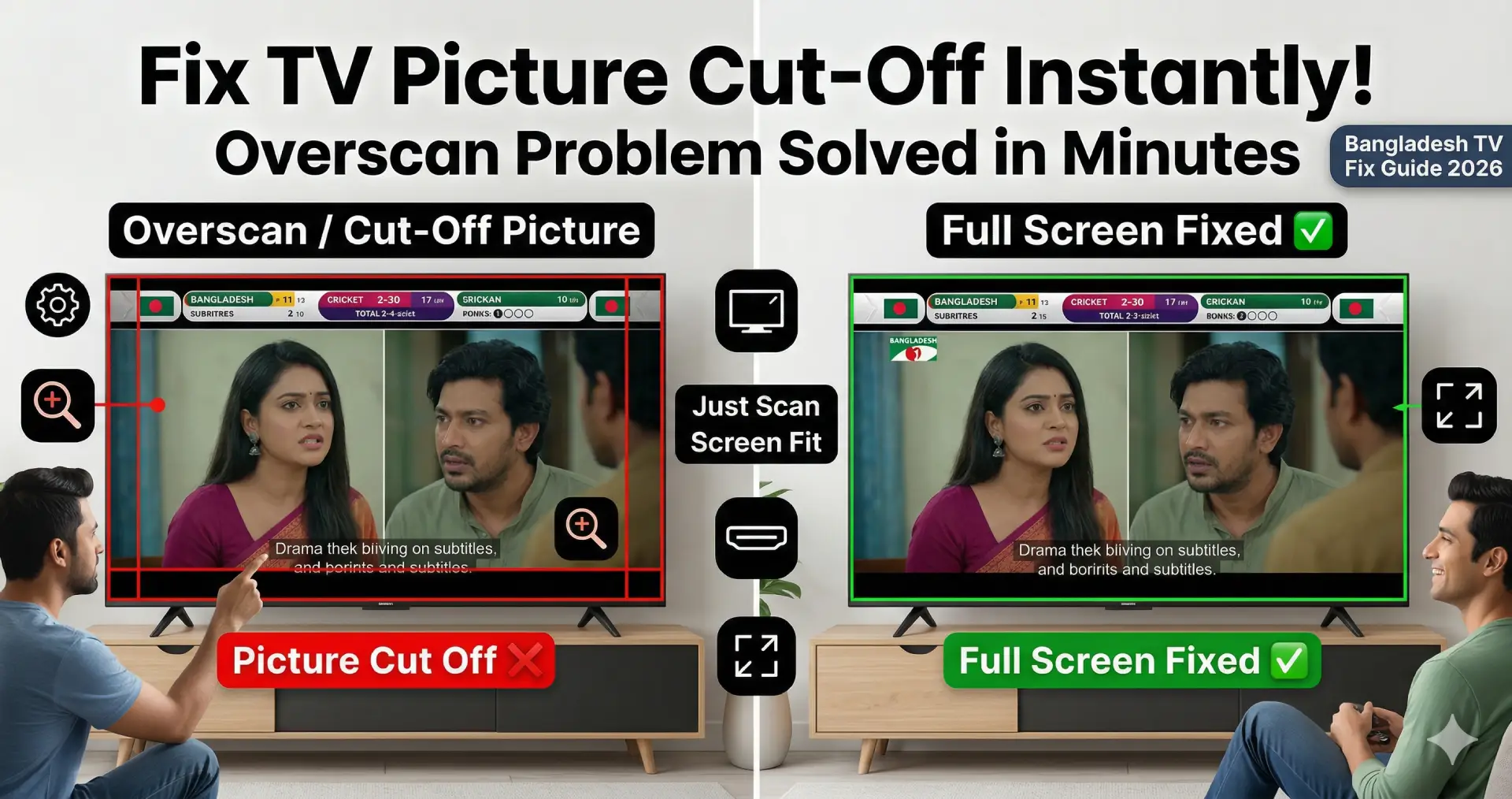
You settle down to watch your favorite Bangladeshi drama on Toffee, but immediately notice the picture edges are cut off. TV channel logos disappear at screen corners. Subtitles appear partially outside the visible area.
This frustrating overscan problem affects many TV users in Bangladesh, especially those using cable boxes or set-top boxes. The good news? It’s easy to fix within minutes.
What is Overscan?
Overscan happens when your TV zooms into the picture slightly, cutting off the edges. This was originally designed for old analog TVs but is no longer needed for modern digital content.
Common Signs of Overscan
- Channel logos cut off at corners
- Subtitles missing at bottom
- Cricket scorecard partially hidden
- Menu text cropped
How to Fix Overscan on Your TV
Fix #1: Disable Overscan from TV Settings
This is the most important step.
- Go to Settings → Picture
- Find Overscan / Screen Fit / Aspect Ratio
- Select Just Scan / Full / Fit to Screen
Samsung TVs: Settings → Picture → Picture Size → Select 16:9 or Just Scan
Sony TVs: Settings → Display → Select Full Pixel
Fix #2: Adjust Cable Box or Set-Top Box
- Open device settings
- Go to Display Settings
- Disable overscan or adjust screen size
If no option is available, rely on TV settings.
Manual Fix (If No Overscan Option Available)
- Change Picture Mode from Zoom to Normal
- Adjust zoom level to minimum
- Try different HDMI ports
Why Overscan Happens in Bangladesh
Many cable providers still use legacy broadcasting formats to support older TVs. This causes modern TVs to enable overscan by default.
Test After Fixing
- Check if channel logo is fully visible
- Play content with subtitles
- Watch cricket match scoreboard
Recommended TVs with Proper Display Settings
| Model | Type | Price (BDT) |
|---|---|---|
| Haier 43″ QLED TV | QLED | ৳34,990 |
| Haier 50″ HQLED TV | HQLED | ৳51,990 |
| Samsung 43″ Crystal UHD | 4K UHD | ৳43,690 |
Conclusion
Overscan is a common but easily fixable issue on LED TVs in Bangladesh. By adjusting your TV and device settings, you can restore the full picture instantly.
Fix it today and enjoy complete subtitles, full-screen visuals, and better viewing experience.


 Issues on LED TVs in Bangladesh)
 Issues on LED TVs in Bangladesh&description=&image=https://www.pickaboo.com/blog/wp-content/uploads/2026/03/Fixing-Oversized-or-Cut-Off-Picture-Overscan-Issues-on-LED-TVs-in-Bangladesh-1024x541.webp)